Quarantine flaky tests
Unblock your PR now. Track and fix flakes later.

It’s frustrating when you run Chromatic and see diffs from components you never touched. This happens because of flaky tests. Your agents end up sidetracked "fixing" code that isn't broken because they can't tell the difference between a flake and a real regression.
Chromatic already filters out most flaky diffs automatically. The ones that slip through need human judgment to tell them apart from real changes, so you end up manually ignoring those diffs again and again.
Now you can quarantine flaky tests, which permanently ignores them from all builds. These flakes are tracked in the new quarantined tests dashboard, so you can come back and fix them later.
How quarantine works
When you spot a flaky test, you can quarantine it from either the build page or the test page.
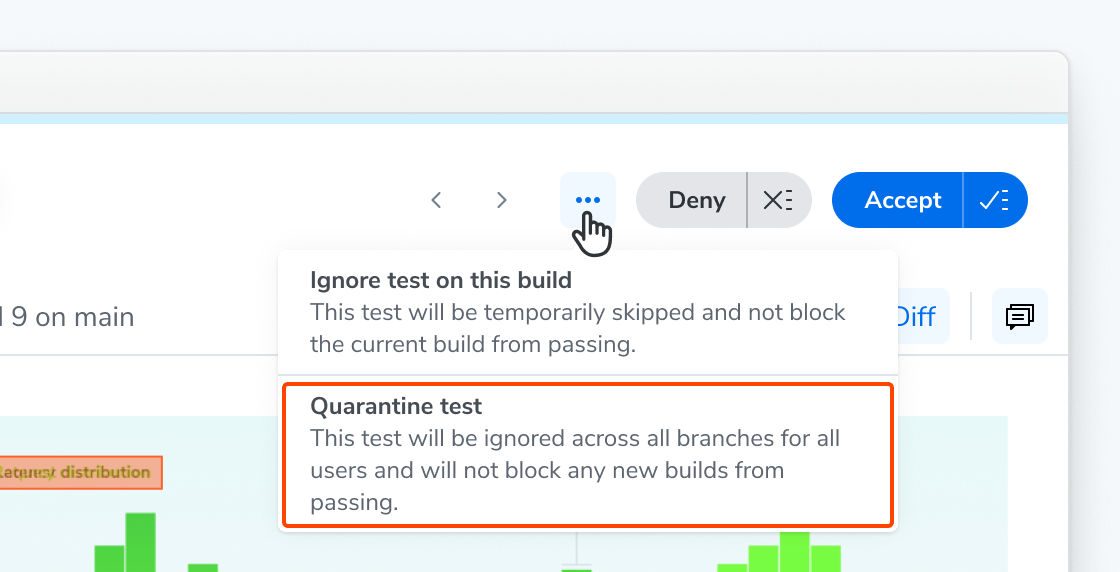
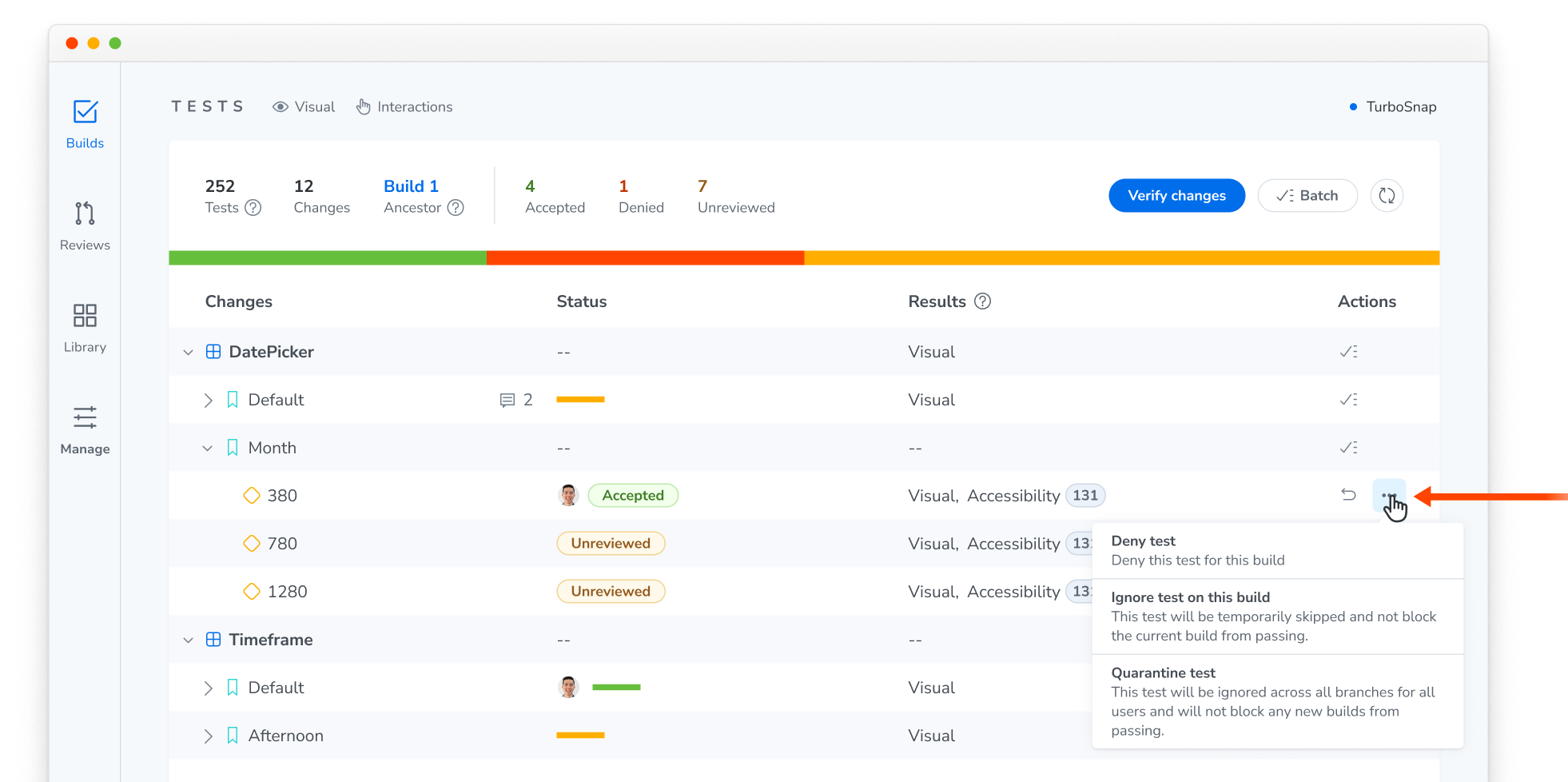
The three-dot menu on a Test page (left) and Build page (right) showing the Quarantine test options
Once quarantined, Chromatic still captures snapshots for it, but its diffs are ignored across all builds, branches, and users.
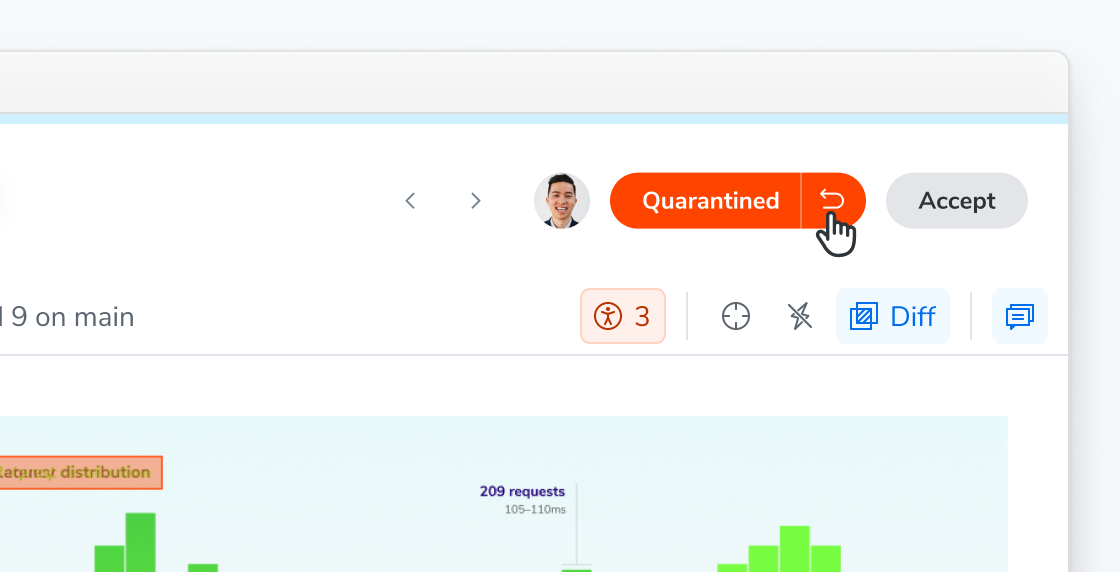
Quarantined tests are collapsed, not gone
Quarantining helps you unblock a PR. But because quarantined tests are ignored, they won’t stop any regressions until you remove them from quarantine.
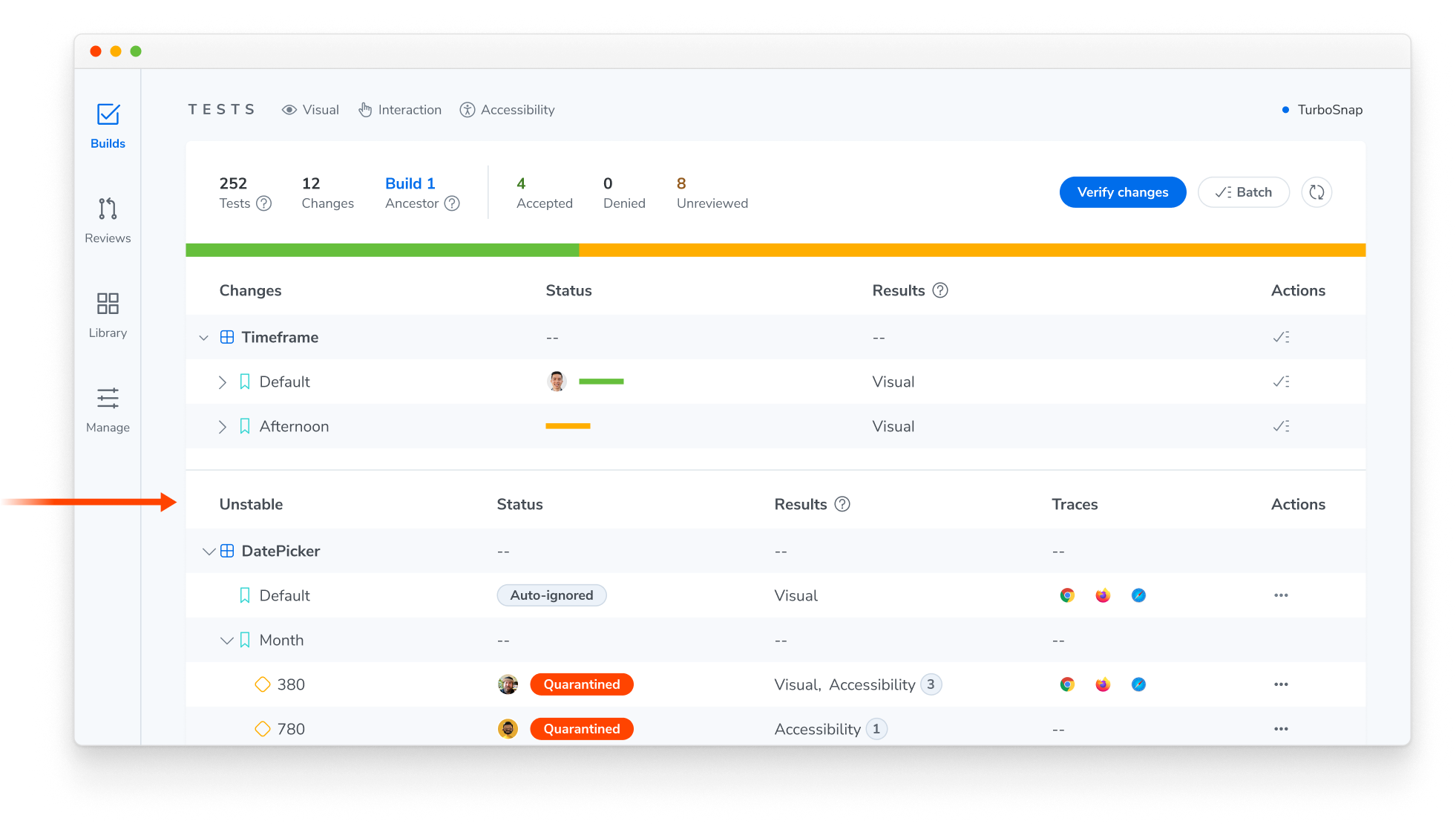
On the build page, you can find quarantined tests in the Unstable group, alongside tests caught by the automatic flake filter. Only quarantined tests that produced a diff in this build show up here. Expand the group to see their diffs.
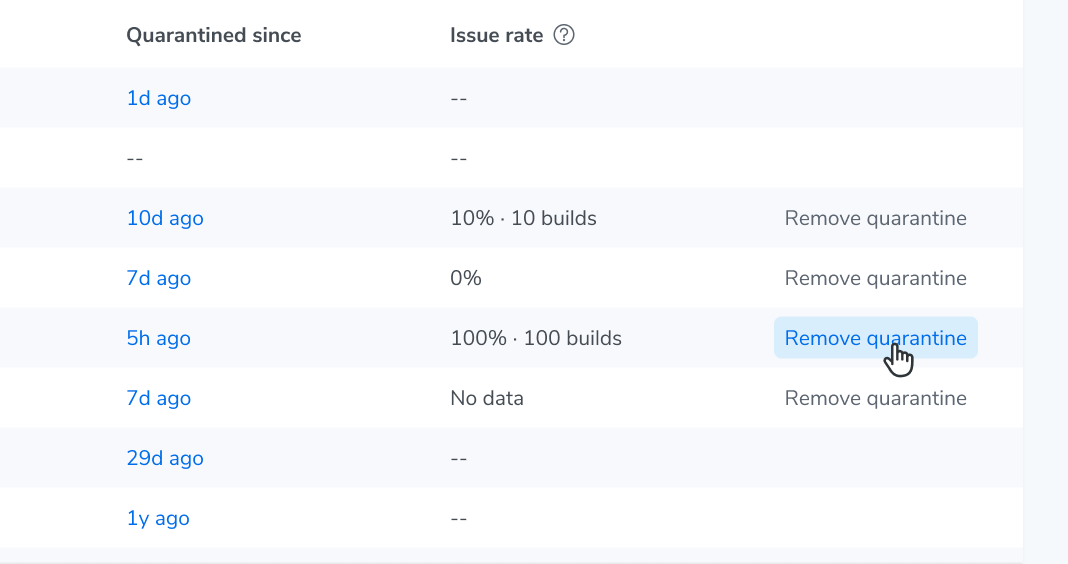
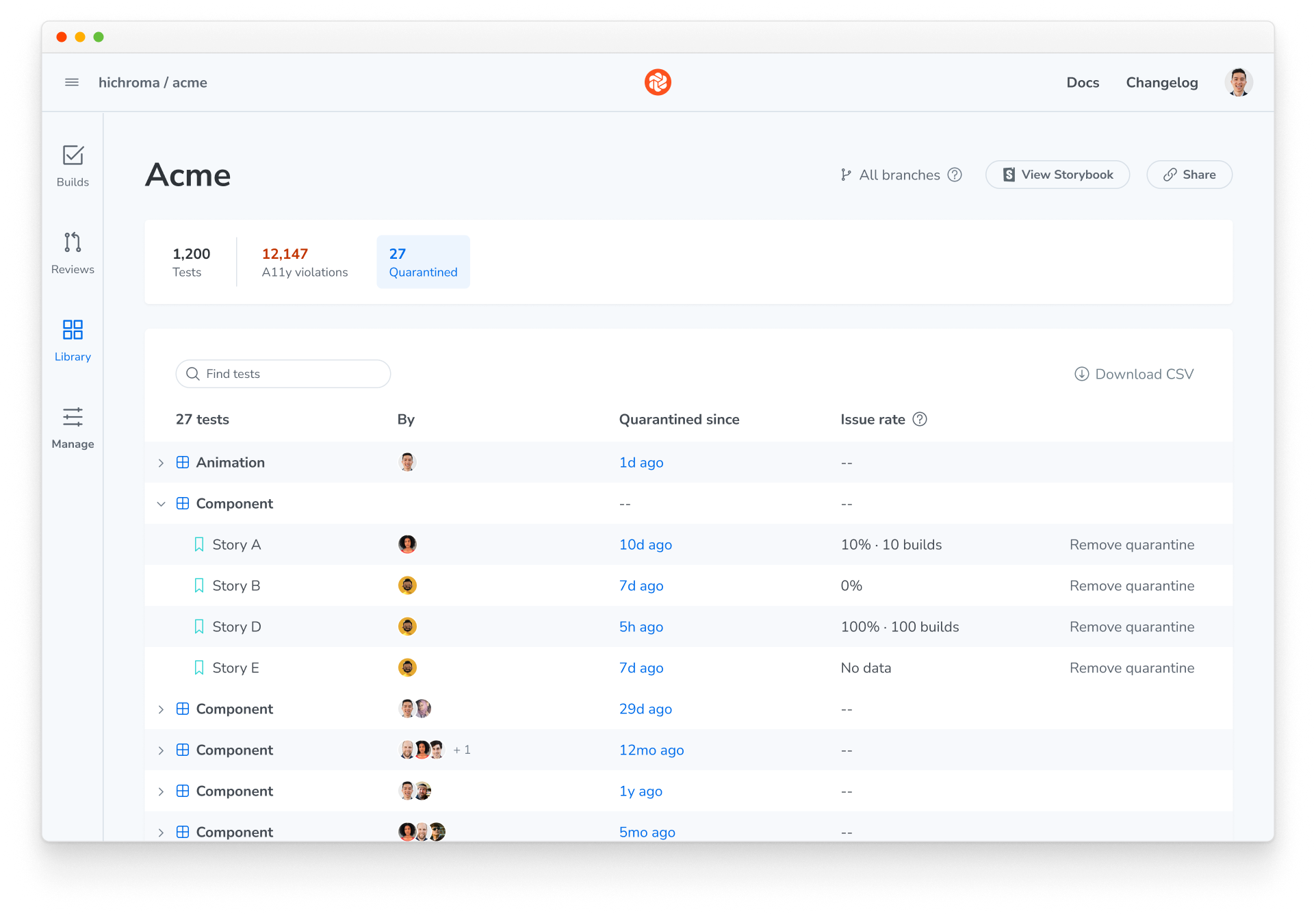
You can find the full list of quarantined tests for your project from the dashboard. Access it from Library > Quarantined tab. You can also see how often each test had issues in recent runs.
Fix flakes to restore coverage
To fix a flake, first identify why the test is rendering unstably using the debugging guide. Once you’ve fixed the test, remove the quarantine to return it to your test suite.
For more details, check out the Quarantine tests docs.